Rich Text
The r mark controls inline styling inside the strings you print.
:r1 — inline markup
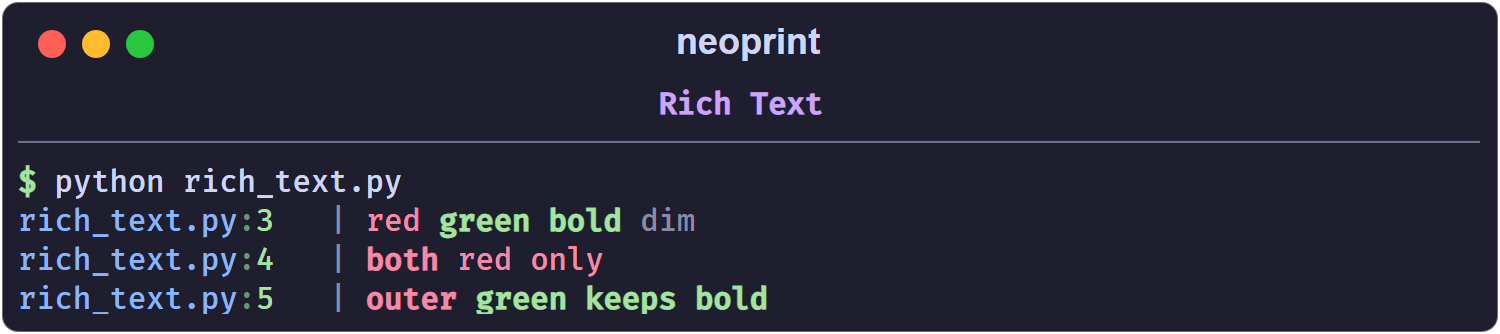
With :r1 (or bare :r), text enclosed in BBCode-like tags is colored and
styled:
import neoprint as np

np.show(':r1', '[red]red[/] [green bold]green bold[/] [dim]dim[/]')
main.py:3 | red green bold dim
The console output is colored; the plain rendering above shows the text only.
Tags
A tag is [ + space-separated parts + ]. Parts are either a color name or a
style name:
- colors:
black,red,green,yellow,blue,magenta,cyan,white,default, and thebright_*variants of the first eight; - styles:
bold,dim,italic,underline, plus the short formsb,i,u.
Close a tag with [/]. Tags nest, and unclosed attributes inherit from the
enclosing tag:
np.show(':r1', '[red bold]both[/] [red]red only[/]')
np.show(':r1', '[red bold]outer [green]green keeps bold[/][/]')
To print a literal [, escape it: \[.
:r2 — tailored layout
:r2 is an alias of :l2: it applies the special layouts described in
Expanded Formatting (grids, key-value tables,
a -> b strings). Use it when you think of the flag as “render this nicely”
rather than “expand this structure”; the result is the same.
Markdown
For long-form text, neoprint offers a dedicated helper:
import neoprint as np

np.markdown(
    '''
    # Title

    - item 1
    - item 2
    '''
)
The string is rendered by Rich’s Markdown renderer, with headings, lists, and inline code styled. An optional markup can be given as the first argument to add a source head or other prefixes:
np.markdown(':d', '# Chapter 1')
Pre-colored segments
For programmatic use — building a message from pieces with their own colors — neoprint exposes a small text object:
import neoprint as np

np.show(np.Text('plain text object', 'cyan', 'bold'))
Text(value, color, style) accepts the same color and style names as the
inline markup. It is exported at the top level as np.Text.