Expanded Formatting
By default neoprint prints values the way repr would — on one line. The l
mark trades width for readability.
:l0 — inline (default)
import neoprint as np

data = {'users': [{'name': 'Alice', 'tags': ['dev', 'ops']},
                  {'name': 'Bob', 'tags': ['design']}]}
np.show(data)
main.py:5 | {'users': [{'name': 'Alice', 'tags': ['dev', 'ops']}, {'name': 'Bob', 'tags': ['design']}]}
Readable for a glance, painful for anything deeper.
:l1 — expand over multiple lines
:l1 (or the bare :l) walks the container recursively and indents each
level by two spaces:
np.show(data, ':l')
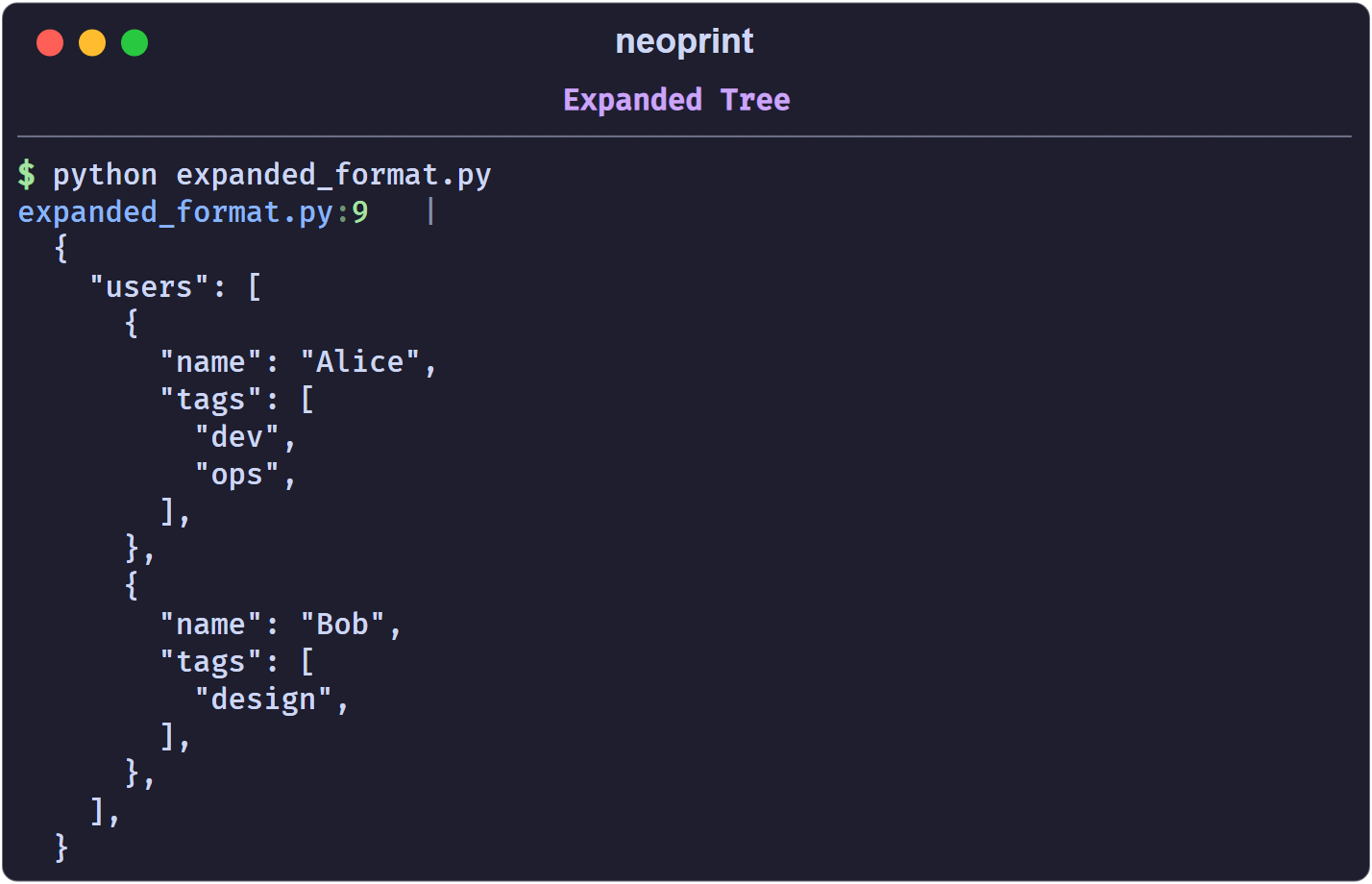
Strings are quoted, trailing commas are added, and the indentation is
controlled by np.config(multiline_indent=N) (default 2).
:l2 — tailored layouts
Certain shapes get a purpose-built layout instead of the generic tree. If an
object does not match any of them, :l2 falls back to :l1 behaviour.
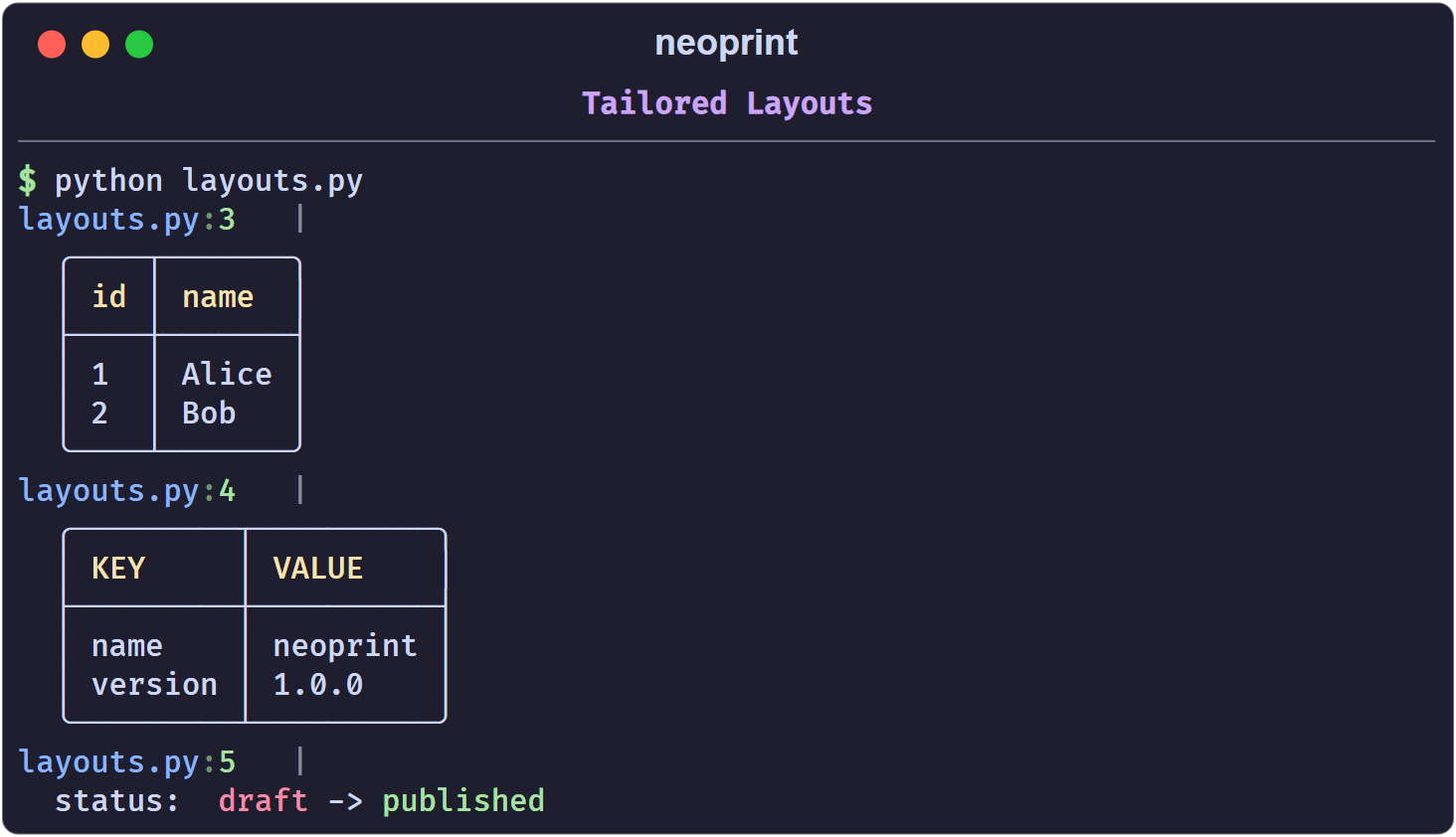
Sequence of rows → grid
A list or tuple whose first row is a header of strings becomes a table:
np.show(':l2', [('id', 'name'), ('1', 'Alice'), ('2', 'Bob')])
main.py:1   |
  ╭────┬───────╮
  │ id │ name  │
  ├────┼───────┤
  │ 1  │ Alice │
  │ 2  │ Bob   │
  ╰────┴───────╯
dict[str, str] → key-value table
np.show(':l2', {'name': 'neoprint', 'version': '1.0.0'})
main.py:1   |
  ╭─────────┬──────────╮
  │ KEY     │ VALUE    │
  ├─────────┼──────────┤
  │ name    │ neoprint │
  │ version │ 1.0.0    │
  ╰─────────┴──────────╯
a -> b strings → colored transform
A string containing -> is rendered as a red-to-green transition, with an
optional label before a colon:
np.show(':l2', 'v0.1.0 -> v0.2.0')
np.show(':l2', 'status: draft -> published')
main.py:1   | v0.1.0 -> v0.2.0
main.py:2   | status: draft -> published
(The left side is red, the right side green, the label stays default-colored.)
Shorthand functions
np.expand(x) is np.show(x, ':l'), and np.expand2(x) is
np.show(x, ':l2'):
from neoprint import expand, expand2

expand([1, 2, 3])
expand2([('k', 'v'), ('a', 'b')])
Note that :l cannot be combined with :d on the same call; see
How Markup Works.